
Skip to content

How it works

How Radio Content Pro works

From the stories Ava picks overnight to the run of show on your desk. Here’s one morning, start to finish.

No card needed

Ava picks the stories for your show, builds it by your ready-by time and writes it the way you talk.

How your show gets built

How your show gets builtOnce: You set your show: Format, market and voice. Overnight: Ava picks the stories: For your format and market. Before your ready-by time: She writes every piece: Teases, phone topics, scripts and more. At your ready-by time: Your show is ready: In the app, and in your inbox if you likeOnceYou set your showFormat, market and voiceOvernightAva picks the storiesFor your format and marketBefore your ready-by timeShe writes every pieceTeases, phone topics, scriptsand moreAt your ready-by timeYour show is readyIn the app, and in your inbox ifyou like

For You picks the stories for your show

Every morning, For You fills with stories Ava picked for your format, market and audience. Each card has a ready-to-air tease or a line on why it’s for you.
  • «Swap»: another story, same spot
  • «Not for me»: pick a reason, and Ava tunes your picks
  • «Add to show»: put any story in today’s show
How Ava picks your stories, and how to swap, skip and save them.

Your show, ready by your time

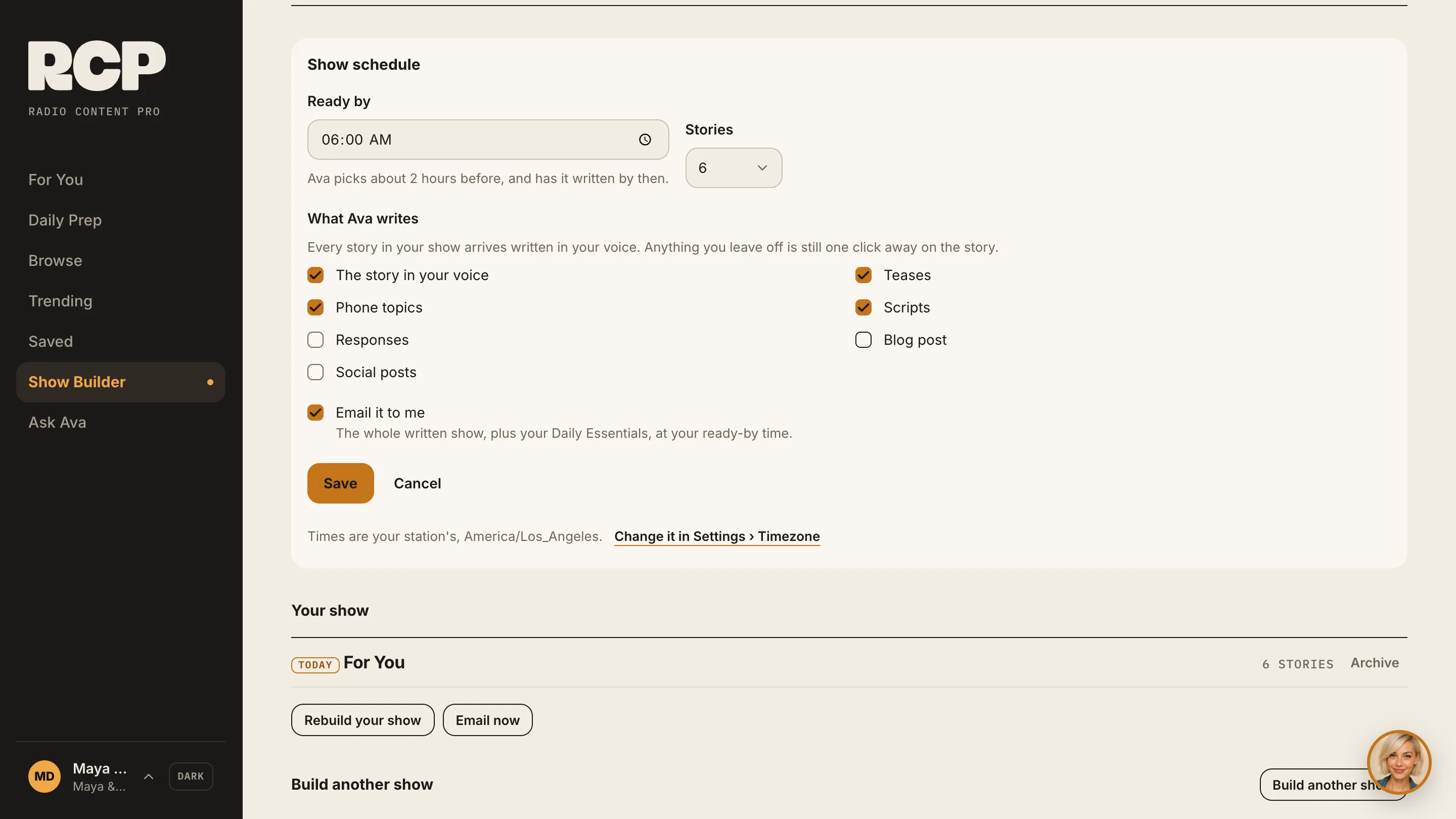
Set a show schedule once: ready-by time, days on air, how many stories (3 to 12). Ava has your show built and written by then. Tick «Email it to me» and the whole show lands in your inbox at your ready-by time.
The Show schedule card: ready by 6:00 am, 6 stories, what Ava writes, Email it to me ticked
The Show schedule card: ready by 6:00 AM typed in, Monday to Friday ticked, Email it to me ticked, then Save.

The story, the angles, the facts

Open any story for «The Story», «Why it matters», «Key facts», «Talk angles» and «Quotes». The original article is one tap away.
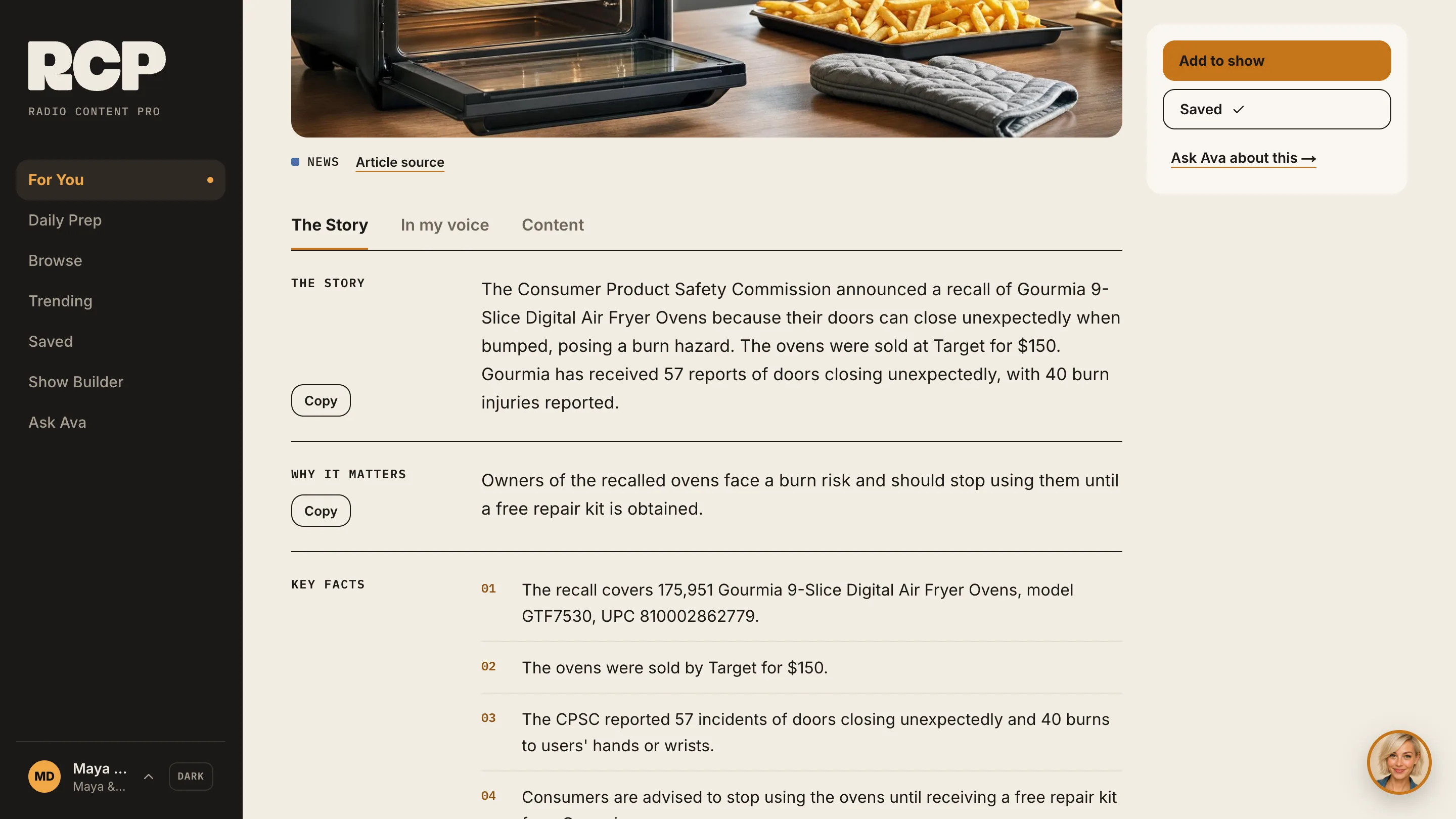
A story page with The Story, Why it matters and Key facts

Written the way you talk. With the facts in hand.

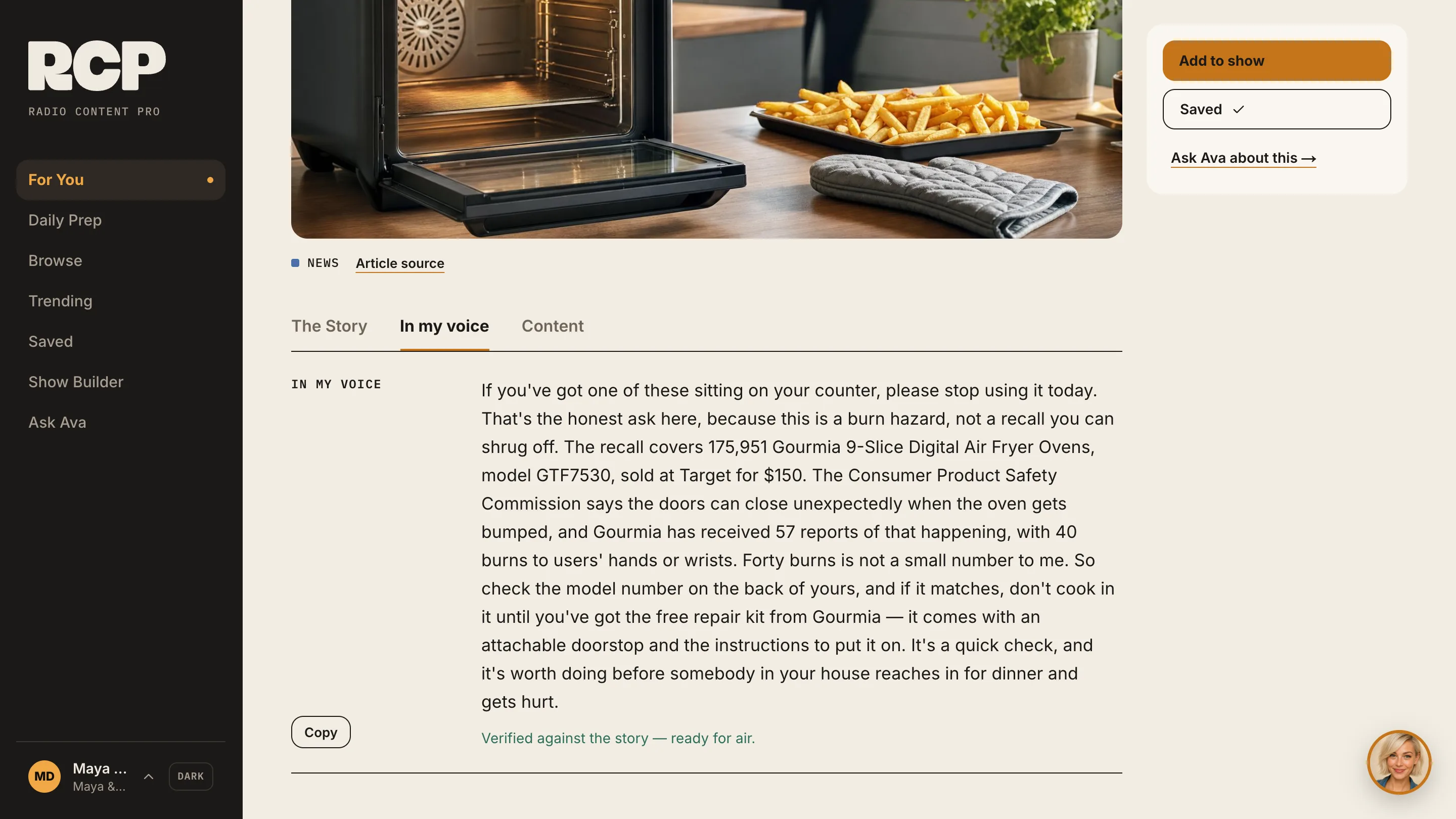
Press «In my voice». Ava writes the story for your show, using your Character Profile. «Key facts» and «Article source» sit with every story, so you can check anything before air. «Verified against the story — ready for air.» means it’s ready to copy.
A story written in your voice on its In my voice tab, with Add to show and Ask Ava about this beside it
A story’s In my voice tab: the story is written the way the host talks, then marked Verified against the story — ready for air.

Teases, phone topics, scripts and social posts

On a story’s «Content» tab, press «Generate» on the piece you want, then «Copy».
  • Teases
  • Phone topics
  • Scripts
  • Responses
  • Blog post
  • Social posts

“RCP has helped me discover new content that I don't get from any other Prep. I love that the teases are available! It is a tremendous time-saver.”

Fernando J. PrietoAfternoon Host & Production Director, Spirit FM 90.5

Ask Ava, on any page

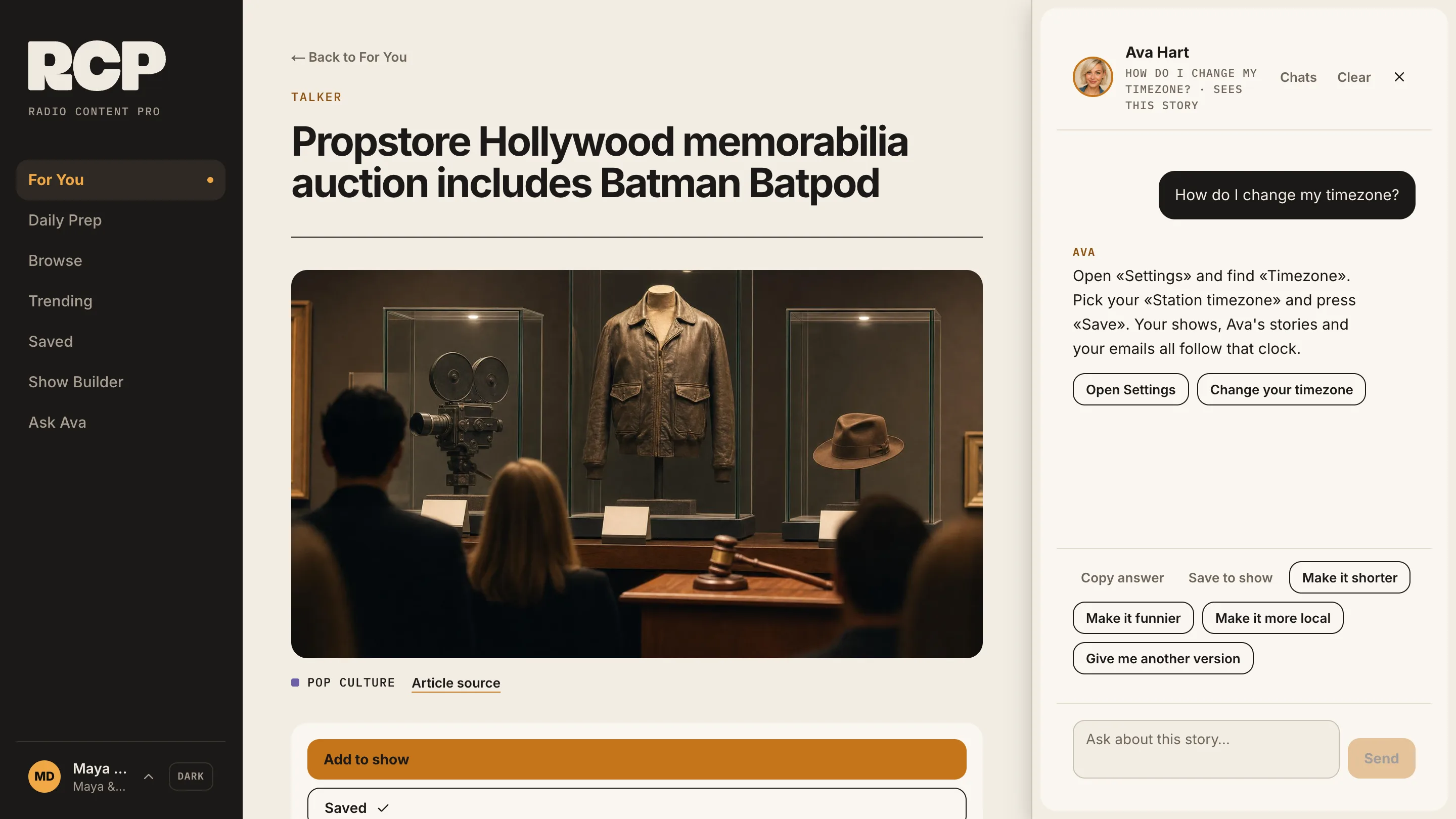
The round Ava button sits on every page. Ask about this story, this show or today’s prep. Or ask how to do something, and Ava answers with a button to the right screen.
Ava answering a how-to question, with a button to the right screen
Asking Ava “How do I change when my show is ready?”: she explains where to change it, and an Open Show Builder button appears under her answer.

Show Builder: your rundown, your way

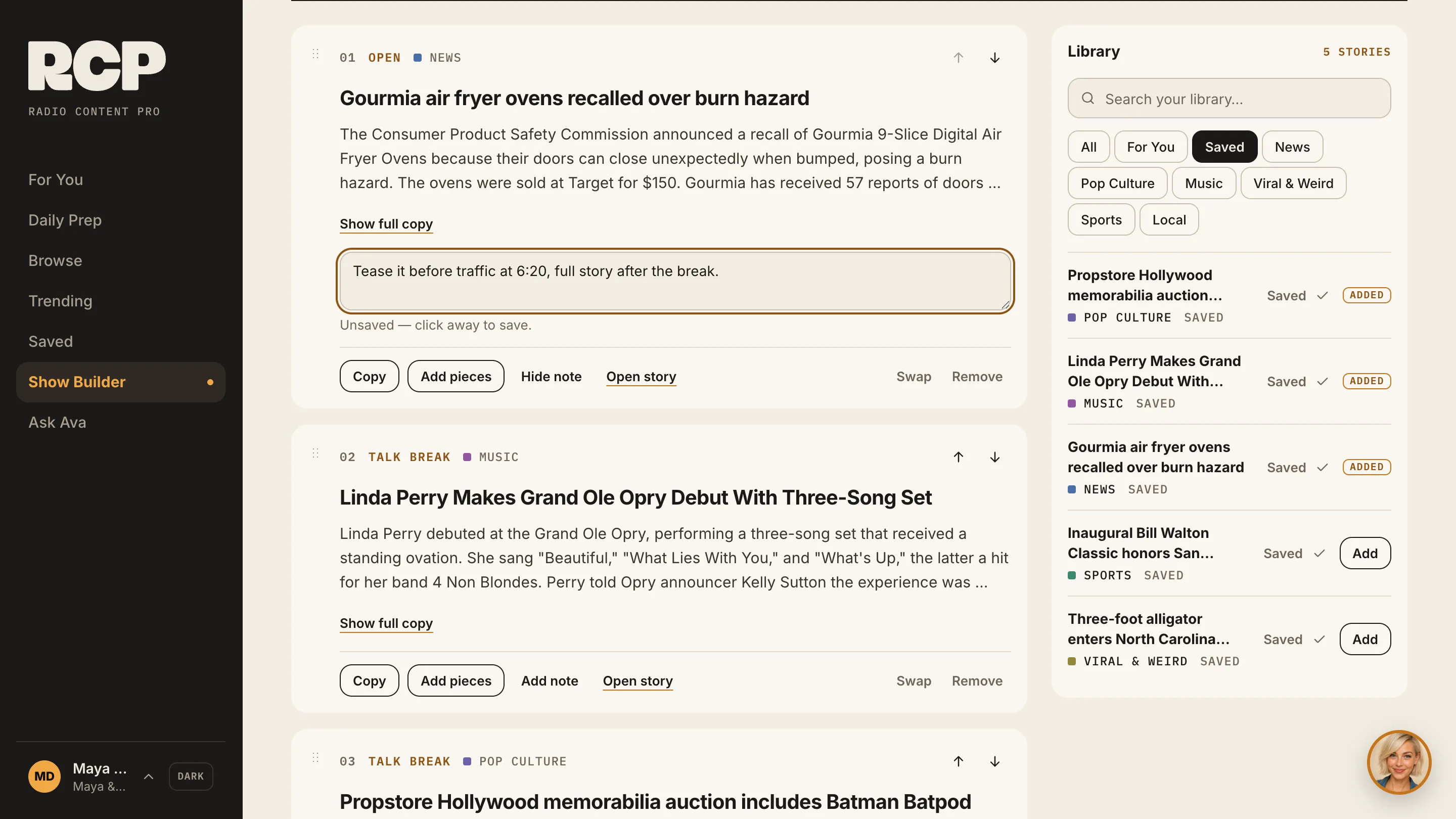
Your show sits under «Your show». Rebuild it fresh up to 3 times a day. Drag stories into order, add a note with your local angle, and get the pieces for each story. Then copy or print the run of show, or email it to yourself.
A show’s Build tab with a host note being added to a story
Show Builder’s running order: story 2 moves down a spot and the numbers follow, then it moves back up.

Every story, when you want more

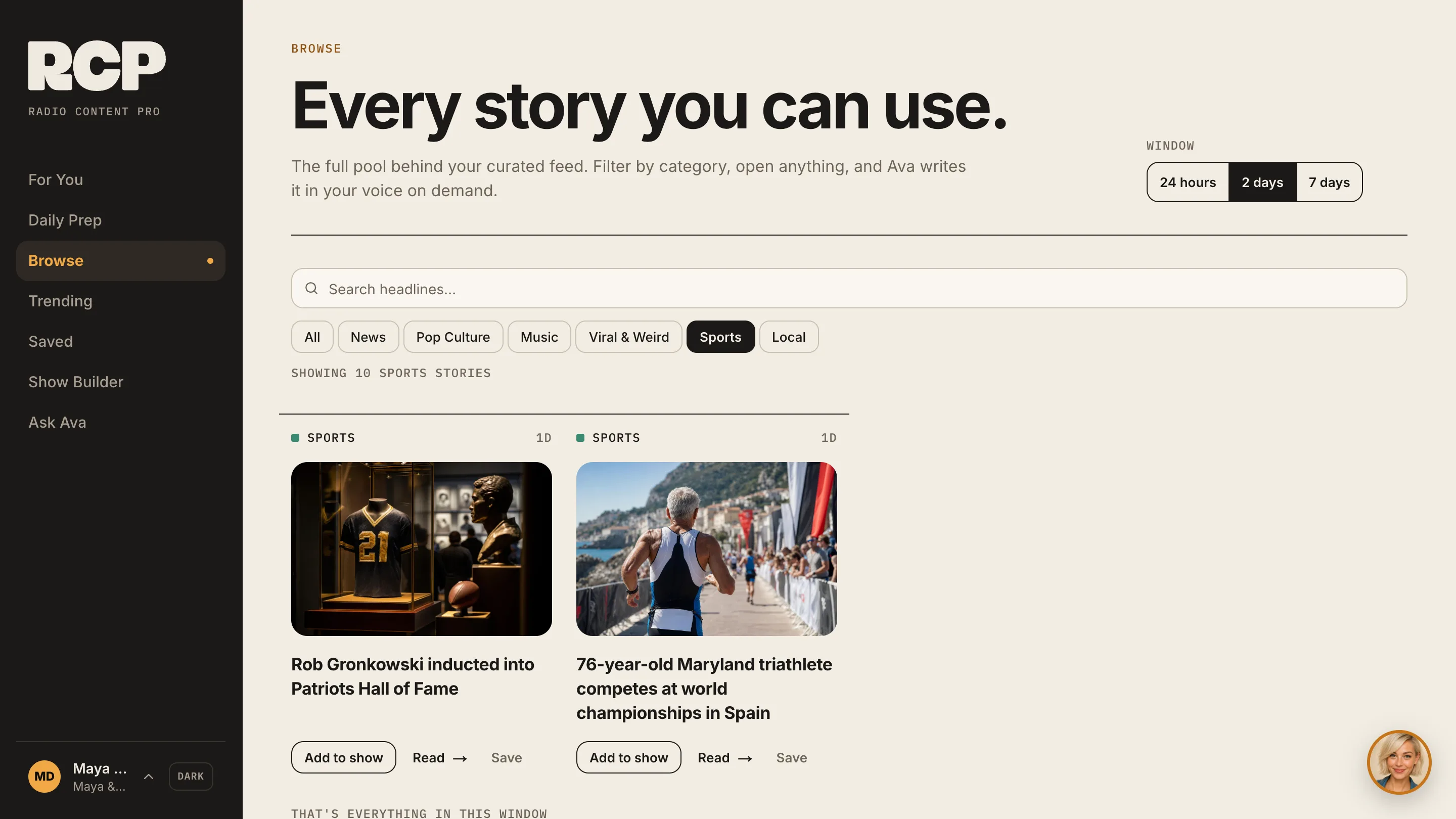
Browse has every story, not just Ava’s picks. Start with «Top 10 today», search, or look back up to 7 days. See what other hosts are reading in «Trending». Save anything for later.
Browse with search, 24 hours, 2 days or 7 days, and category chips with Sports picked

Everything else your morning needs

  • Ava’s Daily Prep, every weekday at 1:00am Pacific

    Talk topics, trivia, the Impossible Question, birthdays, horoscopes and more. Copy it all, or put the sections you like at the top of your show.
    Daily Prep: Ava’s Daily Prep, every weekday at 1:00am Pacific
  • Local stories from your market, included

    Set your market on your profile and local stories come from there. Every full Radio Content Pro plan includes them.
    Local stories: Local stories from your market, included
  • English, Español, Français, Português, Deutsch

    Pick your language and the app follows: the screens, your stories, your show email and Ava’s replies. Names, call letters and song titles stay as they are.
  • Bring your producer or co-host

    Each teammate gets their own login and their own Ava, billed with your plan.
    Teams: Bring your producer or co-host

Works with your tools

Questions

Questions about how it works

What’s the difference between For You and Your show?

For You is your list of Ava’s picks. Once you set a show schedule, For You is your show: built by your ready-by time, in running order.

Can I export my show as a PDF?

You can copy the run of show or print it, from the «Run of Show» tab.

What if I don’t like a story?

Swap it, remove it, or tell Ava it’s «Not for me» so she learns.

Do I have to set a show schedule?

No. Without one, For You still fills with Ava’s stories every morning.

More in the FAQ, or see pricing.

Ava Hart smiling, ready to help with your show

Ask Ava

Curious how a feature works on your show? Ask me.

Tomorrow’s show could already be written.

Start free. Set your ready-by time. See what Ava builds.

No card needed · Cancel anytime